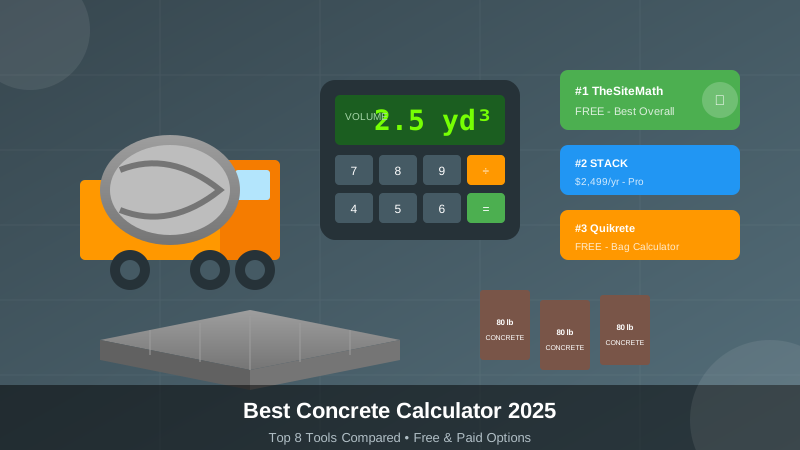
Need to calculate concrete for your next project? We tested 8 concrete calculators to find the best options in 2025. This guide covers accuracy, features, and pricing.
Quick Answer: For most users, TheSiteMath offers the best free concrete calculator. For contractors needing estimating software, STACK and OneCrew lead the pack.
Best Concrete Calculators 2025: Quick Comparison
| Calculator | Best For | Price | Accuracy | Features |
|---|---|---|---|---|
| TheSiteMath | Free all-in-one | Free | High | Volume, bags, cost, rebar |
| Calculator.net | Basic volume | Free | Medium | Volume only |
| Quikrete | Bag calculations | Free | High | Bag counts |
| Concrete Network | Multiple shapes | Free | High | Various formulas |
| STACK | Pro takeoffs | $2,499/yr | Very High | Full estimating |
| OneCrew | Contractors | $149/mo | Very High | End-to-end workflow |
| Calculated Industries 4065 | Handheld | $89 one-time | Very High | Physical calculator |
| PlanSwift | Digital takeoff | $1,495 + $495/yr | Very High | CAD integration |
Free Concrete Calculators
1. TheSiteMath Concrete Calculator - Best Free Option
Price: Free | Platform: Web (mobile-friendly)
TheSiteMath provides the most comprehensive free concrete calculator available.
What It Calculates:
- Cubic yards and cubic feet
- Bag quantities (40, 60, 80 lb)
- Cost estimates with 2025 pricing
- Rebar and wire mesh requirements
- Waste factor (customizable)
Pros
- 100% free, no signup required
- Handles slabs, footings, walls, columns, steps
- Multiple concrete strength options (2,500-4,500 PSI)
- Includes reinforcement calculations
- Privacy-focused (no data stored)
- Mobile-friendly for job sites
Cons
- Web-based (needs internet)
- No CAD integration
- No proposal generation
Who Should Use It?
DIYers planning patios, driveways, or fence posts. Contractors who need quick estimates without subscriptions. Anyone wanting accurate calculations fast.
Try it: Free Concrete Calculator
2. Calculator.net Concrete Calculator
Price: Free | Platform: Web
Calculator.net offers a basic concrete volume calculator that’s been online for 20+ years.
Pros
- Simple interface
- Quick calculations
- No signup needed
Cons
- Volume only (no cost estimates)
- Outdated interface
- Limited project types
- No bag calculations
Who Should Use It?
Users who just need a quick cubic yard calculation. For more features, use TheSiteMath instead.
3. Quikrete Concrete Calculator
Price: Free | Platform: Web
Quikrete’s calculator helps determine bag counts for their products.
Pros
- Accurate for Quikrete products
- Multiple project types
- Direct bag counts
Cons
- Only for Quikrete products
- No generic calculations
- Limited project options
Who Should Use It?
DIYers buying Quikrete products at Home Depot or Lowe’s. The bag counts are accurate for their specific mixes.
4. Concrete Network Calculator
Price: Free | Platform: Web
Concrete Network provides calculators for various shapes including circular columns and irregular areas.
Pros
- Multiple shape options
- Good for columns and footings
- Educational content
Cons
- Basic features only
- No cost estimates
- Older interface
Who Should Use It?
Users with non-rectangular concrete needs. Good for circular columns and odd shapes.
Paid Concrete Estimating Software
5. STACK - Best for Pro Takeoffs
Price: $2,499/year | Platform: Cloud-based
STACK is professional construction estimating software used by concrete contractors nationwide.
Pros
- Precise digital takeoffs
- Works with PDF plans
- Material quantification
- Team collaboration
- Integrates with accounting software
Cons
- Expensive for small contractors
- Learning curve
- Overkill for simple projects
Who Should Use It?
Concrete contractors bidding on commercial projects. Companies doing $500K+ in annual revenue where accuracy pays for the subscription.
6. OneCrew - Best End-to-End Solution
Price: $149/month | Platform: Cloud + Mobile
OneCrew combines estimating, scheduling, and invoicing for concrete contractors.
Pros
- Full workflow management
- Reduces estimating time by 75%
- Mobile app for field use
- Integrates with QuickBooks
- Customer portal
Cons
- Monthly subscription
- More than just a calculator
- May be too much for small jobs
Who Should Use It?
Growing concrete companies that need more than just calculations. The workflow features justify the cost at 10+ jobs per month.
7. Calculated Industries 4065 Construction Master Pro
Price: $89 one-time | Platform: Handheld device
The Construction Master Pro is the industry-standard handheld calculator for contractors.
Pros
- No batteries die mid-job (solar + battery)
- Works without internet
- Built-in concrete functions
- Rugged for job sites
- One-time purchase
Cons
- Physical device to carry
- Learning curve for functions
- No proposal generation
- Manual data entry
Who Should Use It?
Old-school contractors who prefer physical tools. Great backup when phones die or sites lack signal.
8. PlanSwift - Best for Digital Takeoffs
Price: $1,495 + $495/year | Platform: Windows
PlanSwift allows precise takeoffs from digital blueprints and PDFs.
Pros
- CAD and PDF integration
- Highly accurate measurements
- Customizable templates
- Works with Revit, AutoCAD
Cons
- Windows only
- Significant investment
- Complex for simple projects
Who Should Use It?
Concrete contractors working from digital plans on commercial projects. The accuracy reduces expensive over-ordering.
How to Choose the Right Concrete Calculator
By Project Type
| Project | Best Calculator | Why |
|---|---|---|
| DIY patio or driveway | TheSiteMath | Free, includes bags + cost |
| Fence posts | TheSiteMath or Quikrete | Bag counts for small pours |
| Commercial slab | STACK or PlanSwift | Precision from blueprints |
| Concrete business | OneCrew | Full workflow management |
| Job site quick calc | Construction Master Pro | Works offline anywhere |
By Budget
| Budget | Recommendation |
|---|---|
| $0 | TheSiteMath - best free option |
| Under $100 | Construction Master Pro ($89) |
| $1,000-2,500/year | OneCrew ($1,788/yr) |
| $2,500+/year | STACK or PlanSwift |
By Volume
| Jobs Per Month | Best Tool |
|---|---|
| 1-5 small jobs | TheSiteMath (free) |
| 5-15 residential | OneCrew |
| 15+ commercial | STACK + PlanSwift |
Concrete Calculation Basics
All calculators use the same core formula:
Volume (cubic feet) = Length × Width × Depth
Cubic Yards = Cubic Feet ÷ 27
Key factors that affect accuracy:
- Waste factor - Add 10% for spillage and subgrade variations
- Subgrade conditions - Uneven ground needs more concrete
- Form accuracy - Loose forms bulge outward
- Slump - Wetter concrete spreads further
Common Concrete Calculation Mistakes
- Forgetting waste factor - Always add 10% minimum
- Wrong units - Mixing inches and feet
- Ignoring thickness variations - Subgrade is rarely perfectly flat
- Ordering exact amount - Running short creates cold joints
Pro tip: Order 10-15% extra. Extra concrete costs less than a second delivery or failed pour.
Concrete Coverage Quick Reference
| Bag Size | Coverage at 4” Thick |
|---|---|
| 40 lb | 0.30 sq ft |
| 60 lb | 0.45 sq ft |
| 80 lb | 0.60 sq ft |
| Slab Size (4” thick) | Cubic Yards | 80-lb Bags |
|---|---|---|
| 4’ × 4’ | 0.20 | 9 |
| 8’ × 8’ | 0.79 | 36 |
| 10’ × 10’ | 1.23 | 56 |
| 12’ × 12’ | 1.78 | 80 |
Ready-Mix vs. Bags: When to Use Each
| Factor | Ready-Mix | Bags |
|---|---|---|
| Best for | 1+ cubic yards | Under 1 cubic yard |
| Cost per yard | $125-170 | $200-300 |
| Quality | Consistent | Varies with mixing |
| Labor | Less physical | Very labor-intensive |
Rule of thumb: If you need more than 1 cubic yard, order ready-mix. Mixing 45+ bags by hand is exhausting and produces inconsistent results.
Our Recommendation
For DIY projects: Start with TheSiteMath’s free concrete calculator. It handles all common project types with accurate bag counts and cost estimates.
For contractors doing 5+ jobs monthly: Invest in OneCrew or STACK. The time savings and accuracy pay for themselves.
For job site calculations: Keep a Construction Master Pro in your truck. It works without internet and survives rough conditions.
Frequently Asked Questions
How accurate are free concrete calculators?
Very accurate if they use proper formulas. TheSiteMath uses the same Volume = L × W × D formula professionals use. The key is adding appropriate waste factors (10-15%).
How many bags of concrete for a 10×10 slab?
A 10×10 foot slab at 4 inches thick needs approximately 1.23 cubic yards, or about 56 bags of 80-lb concrete. This includes a 10% waste factor.
Should I use ready-mix or bags?
Use ready-mix for projects over 1 cubic yard. It’s more economical ($125-170/yard vs $200-300/yard for bags) and produces more consistent results.
What’s the best concrete calculator app?
For free web-based calculations, TheSiteMath offers the most features. For paid estimating software, STACK and OneCrew lead the market for professional contractors.
Summary
The best concrete calculator depends on your project size and frequency. Free tools like TheSiteMath work great for most residential projects. Professional contractors benefit from investing in dedicated estimating software.
Start here: Try our free concrete calculator — no signup, no fees, accurate results.